In this amazing Adobe Flash tutorial you will learn how to create a slick content slider that uses the Tweener engine. This example could be a great start to building a cool portfolio site or a photography website. Check it out…
8,809 views













In this amazing Adobe Flash tutorial you will learn how to create a slick content slider that uses the Tweener engine. This example could be a great start to building a cool portfolio site or a photography website. Check it out…
This Adobe Flash tutorial will show you how to create a simple quiz game, the example uses a Simpsons theme for the quiz. It includes how to count the correct answers and give the percentage also. Let’s get started!
Mouse Trailers are objects which follow the mouse cursor as you move it. In this tutorial, I’ll help you create a blue and shiny mouse trailer using Adobe Flash with ActionScript 3.0. Let’s give it a go!


This is a tutorial will show you how to a create a spot the difference gamein Adobe Flash. For ths tutorial you will need Adobe Flash 8 or higher. Making a spot the difference game is quite simple, the main challenges are organising the game assets, and making a graphic do something when a different one is pressed. Let’s start!

This Flash tutorial will teach you how to create a scary maze game in Flash. A scary maze game is basically a maze where an image and sound effect is played at the end of the game. This scares the players as they are expecting another level in the game, but instead receive a scare. Let’s give it a try…
Making games is easy! Well, okay, maybe it’s actually kind of hard, but starting out is easy at least! Especially when you have great tutorials like this one to guide you through the process. Learn how to make a horizontal scrolling shooting game in Flash with this brilliant eight part tut. Let’s go!
This Adobe Flash tutorial will show you hoto create a cool, blue animated backround with bubbles on it. We will use ActionScript 3.0 to create this animation that we can use in menu screens or as a music visualizer. Let’s give it a try!

The tower defense genre is one that has become extremely popular over the years. Although they can become quite complicated to develop, they are almost always very fun to play. This Adobe Flash tutorial will walk you through the creation of one of these games. Let us begin, shall we?
In this new and interesting Flash and ActionScript 3 tutorial it will teach you how to create an infinite gallery. This will also work perfectly for menus and so on. Let’s get started straight away! You need TweenMax in order to fully complete this tutorial.
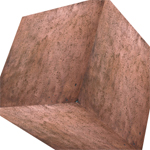
We’re going to create a cube in the Adobe Flash (or Flex) environment using the Away3D engine. We’ll choose the necessary texture and superimpose it onto the cube’s faces. We’ll also make the cube rotate and rule the scene via a camera. Let’s get stuck in..
In this tutorial it will demonstrate how to create custom filters with the Pixel Bender Toolkit, then use them with Flash CS4 to output .pbj files. You’ll learn how to create a cool looking pixelated transition animation effect. Let’s get started!
In this tutorial I´ll show you how to create nice Mini Golf Game with Adobe Flash and ActionScript 3.0. We’ll work with Event Handlers, Functions and also the Timer Object which is a really cool feature in AS3.
This tutorial will teach you how to create this very cool 3D tunnel effect in Flash using some simple 2D animation techniques. Let’s give it a try!

In this Adobe Flash tutorial It’ll describe how to create a basic 3D scene using the new 3D options of Flash Player 10. Then It’ll explain how to add interactivity to the elements and set up a basic pong game. Let’s go…
Flash Lite is an implementation of the Flash runtime for mobile devices. According to Adobe, the number of Flash Lite shipped devices will reach 1 billion in 2009 and more than 2.5 billion by the end of 2010, so if you are a Flash Developer it is important to know how this technology works. In this tutorial It’ll guide you through the basics of Flash Lite using the 1.1 version; sacrificing features, but ensuring compatibility.

In this tutorial, we’ll create a gallery which displays all image files in a given directory. A slider is used to browse easily through the images. This tutorial uses flash and some php. Let’s get going…
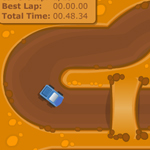
This is a “time trial” racing game tutorial. After completing it, you will be able to make your own racing game with custom tracks and cars, smooth collisions, lap records and more.
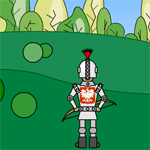
In this tutorial we will create a game using our super hero Pawel to kill dragons that are coming from one side of the screen. This tutorial is more of an explanation of the code with some design work as opposed to a fully-featured tutorial covering every aspect of a vertical shooter. Let’s go for it!
In this tutorial, It’ll show you how to build a stylish Analog Clock using ActionScript 3.0. We’ll use the resulting swf movie with Screentime for Flash to create a fully functional screensaver. Time for some fun..

This detailed lesson will teach you how to create advanced 3D flash menu in flash using the Action Script Code and some special flash tricks.You will also learn how to design menu, how to animate it, how to draw 3D cube using the Line Tool, how to apply actionscript code on it and much more. Let’s start!